Keep Your Mac Awake
WakeUpMac prevents your Mac from sleeping — even with the lid closed. Perfect for downloads, servers, and long-running tasks.
7-day free trial • One-time purchase • macOS 12+
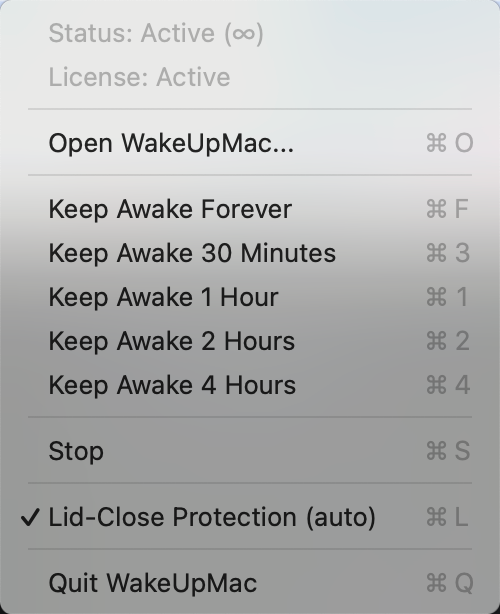
Features
Keep Mac Awake
Prevent idle sleep with a single click. Perfect for downloads and long tasks.
Lid-Close Prevention
Keep running even with the lid closed. Ideal for servers and background processes.
Timer Mode
Set 1hr, 2hr, or 4hr duration — it turns off automatically when done.
Menu Bar App
Lives in your menu bar, lightweight and out of the way. No dock icon.
Perfect For
📥
Large Downloads
Keep downloads running overnight without interruption
🖥️
Local Servers
Run development servers or databases with lid closed
🎬
Media Processing
Render videos or process files without sleep interruptions
☁️
Cloud Sync
Keep Dropbox, iCloud, or backup services running continuously
💡 Best Practices for Lid-Closed Mode
- •Disable Screen Saver to prevent GPU heat and battery drain
- •Enable Lock Screen for security (System Settings → Lock Screen)
- •Lower screen brightness to minimum before closing the lid
- •Keep your Mac in a well-ventilated area to avoid overheating
Ready to keep your Mac awake?
One-time purchase. No subscription. 7-day free trial.
Get WakeUpMac — $9.90